 Native Mojo
Coordination
 Maestro
Coordinate work across people, projects and AI.
Individual AI sessions are productive and forgetful. Maestro is where the work, the knowledge and the agents are shared — so what one person's AI figures out is available to the next, and so the changes an agent makes land somewhere the team can see them. Every Native Mojo venture runs on it from its first week.
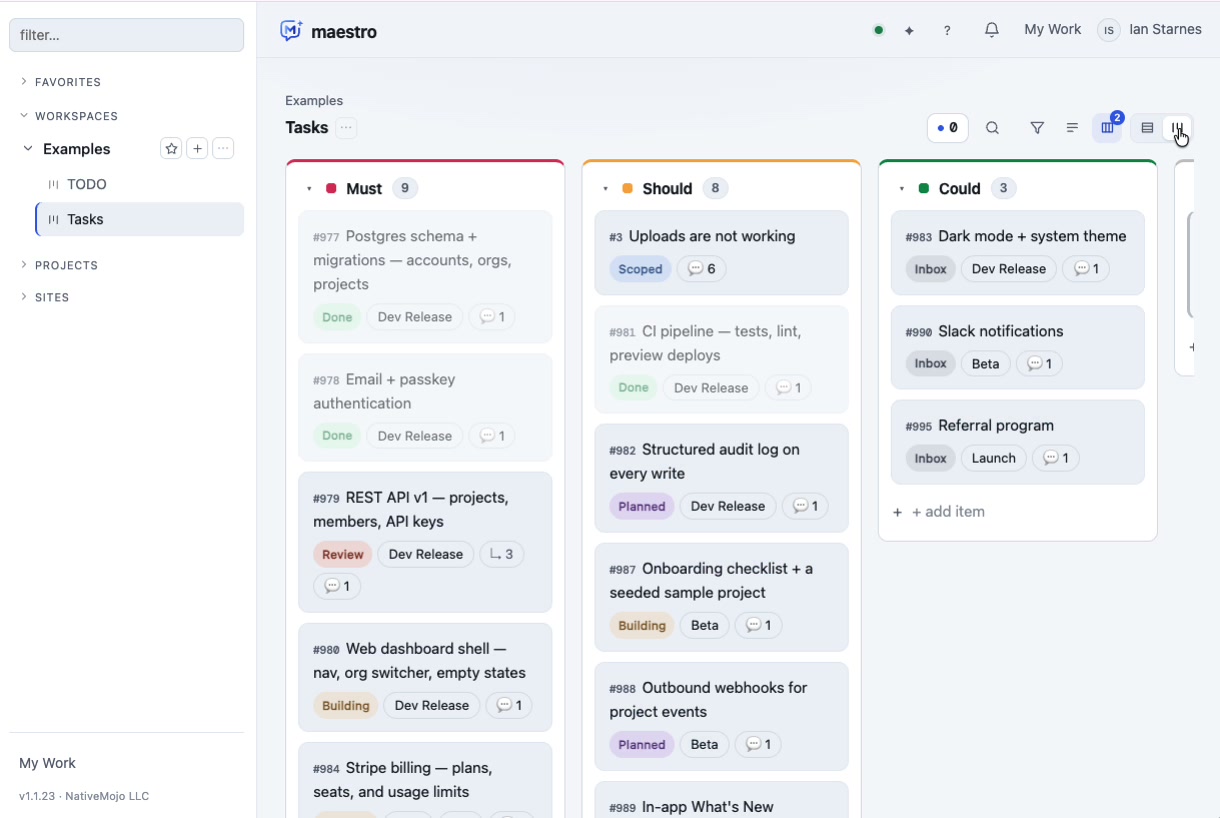
The board — priority, stage, milestone and ownership in one place
How it works
The part that is missing between an AI tool and a team.
Maestro does not replace the AI tools people like using. It gives them something to work against.
Works in your own AI tool
Maestro connects over MCP. Your team keeps the assistant they already use, and that assistant gains real access to projects, boards, knowledge and deployment.
Project awareness
Agents work against the actual project — its board, its repository, its history, its conventions — instead of whatever context somebody remembered to paste.
Shared knowledge
One indexed body of organizational knowledge behind every agent and every person, searched semantically and scoped to the organization.
Reusable skills
A skill is a compound workflow built from tools. When a sequence works, it is captured and reused rather than re-derived by the next session.
AI workflows
Intake, scoping, building and review as defined stages with owners and gates — so an agent's work is reviewable at the points that matter.
Team collaboration
Boards, milestones, ownership, comments and an activity trail that records what changed, who changed it, and which commit did it — human or agent.
Integration
Nobody has to move.
The usual failure of a coordination product is that it asks everyone to adopt a new interface. Maestro takes the opposite approach: it speaks the open protocol the AI tools already speak, and shows up inside them.
- MCP-native. Connect once; every capability is available as a tool the assistant can call.
- Real actions, not suggestions. File work, scope it, build it, comment on it, deploy a site — through permitted APIs with an audit trail.
- A portal when you want one. Boards, milestones, projects, sites and members in a normal web interface for the people who prefer it.
- Same permissions either way. An agent can do exactly what the account behind it is allowed to do.
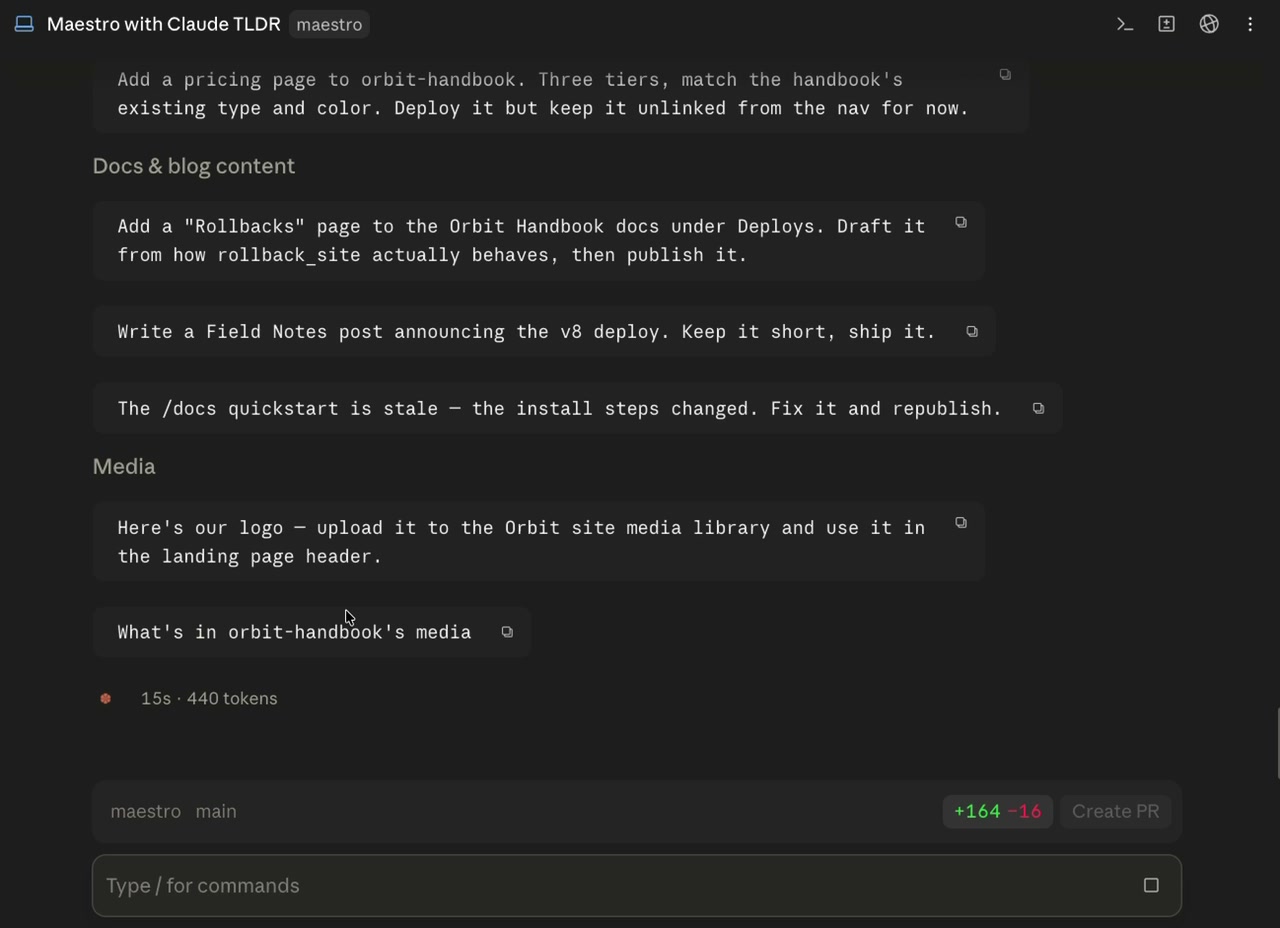
Plain-English requests, carried out through Maestro
Oversight
AI work that a manager can actually read.
Autonomy is only useful if someone can check it. Everything an agent does lands on a board item with an owner, a stage and a trail.
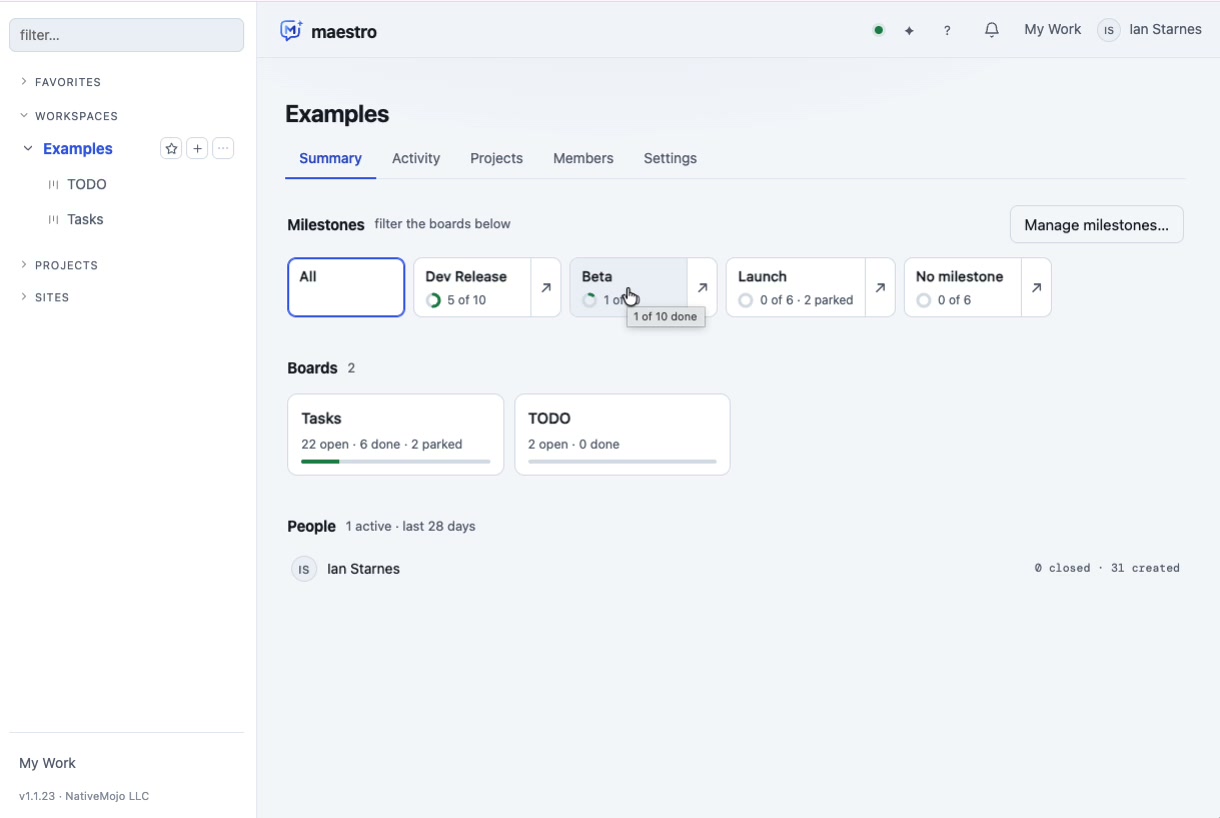
Milestone rollups across every board
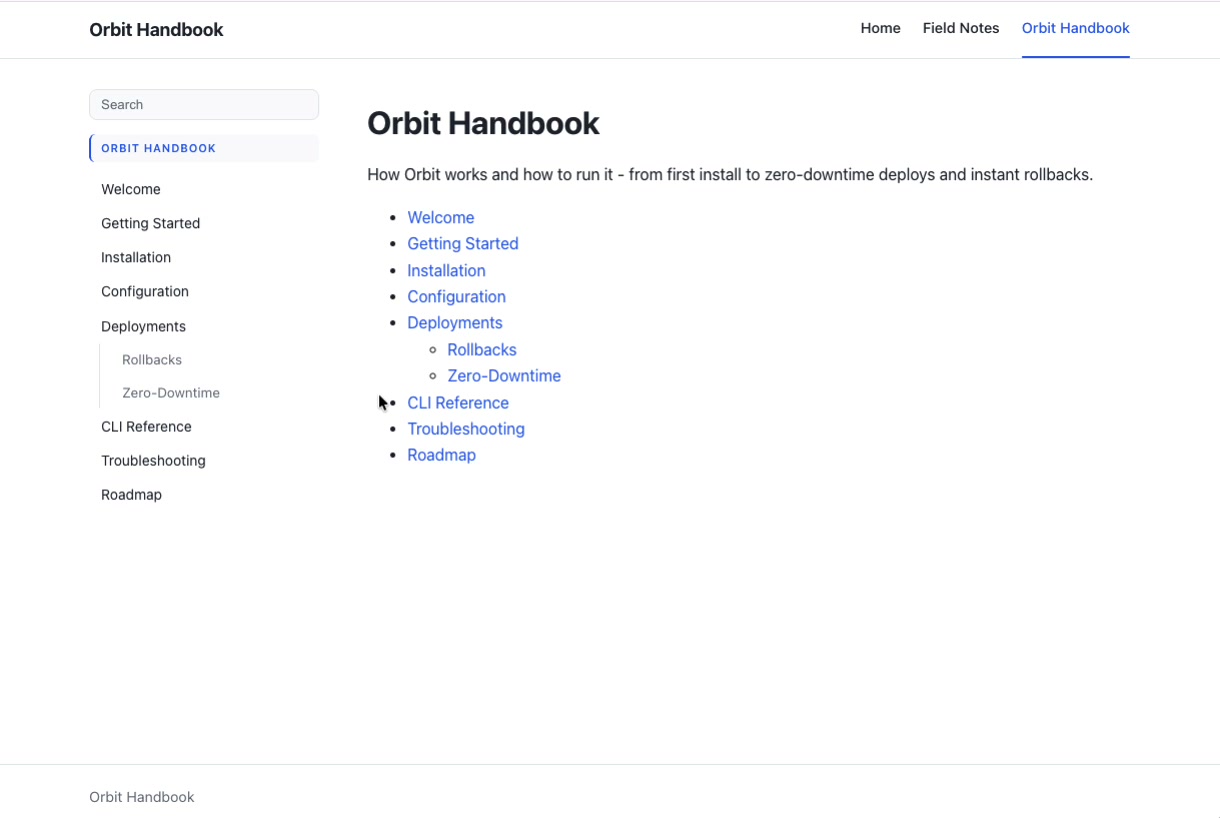
Knowledge and content in the same workspace
Maestro
Give your team's AI something to work against.
Maestro runs on maestromojo.com and connects to your AI tools over MCP. If you want to see it against your own work, start with a conversation.